Table of Contents
MyPSA Backend
 Updated
by Andreas Knaupp
Updated
by Andreas Knaupp
Customer registration with BestFiT ID
The ‘BestFit ID’ login method must be activated in the account settings.
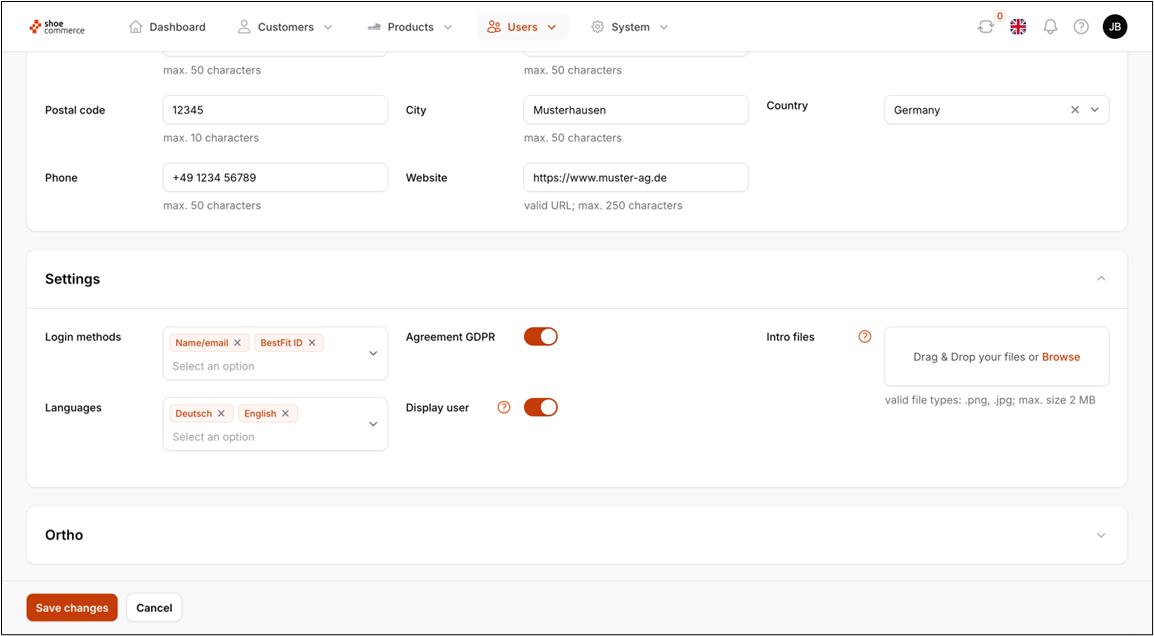
The next steps are as follows:
- Access the ‘Customers’ table
- Search for the customer using the full-text search field (here: Claudia)
- Open the data record
- Select and copy the BestFit ID
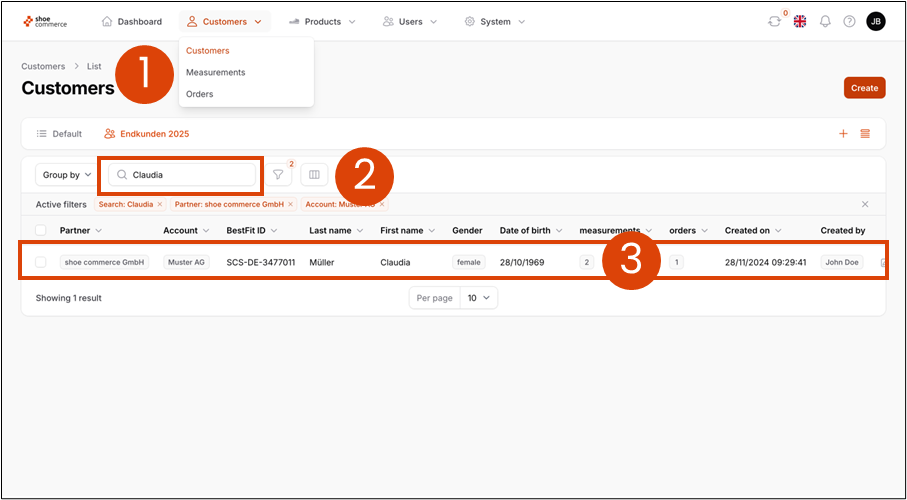
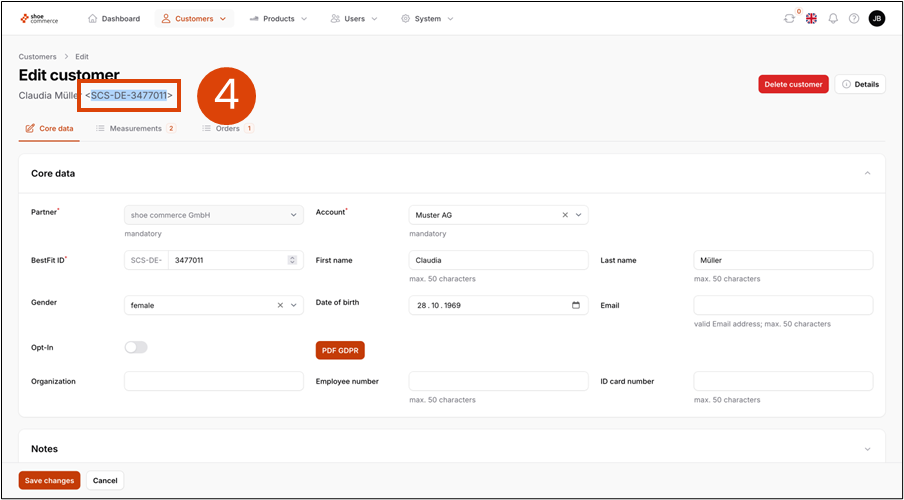
The next steps are carried out in the MyPSA frontend, as described here.
Customer registration with name and date of birth
Follow these steps to register the customer with name and date of birth:
- Access the "Customers" table
- Search for the customer using the full-text search field
- Open the data record by clicking on the line
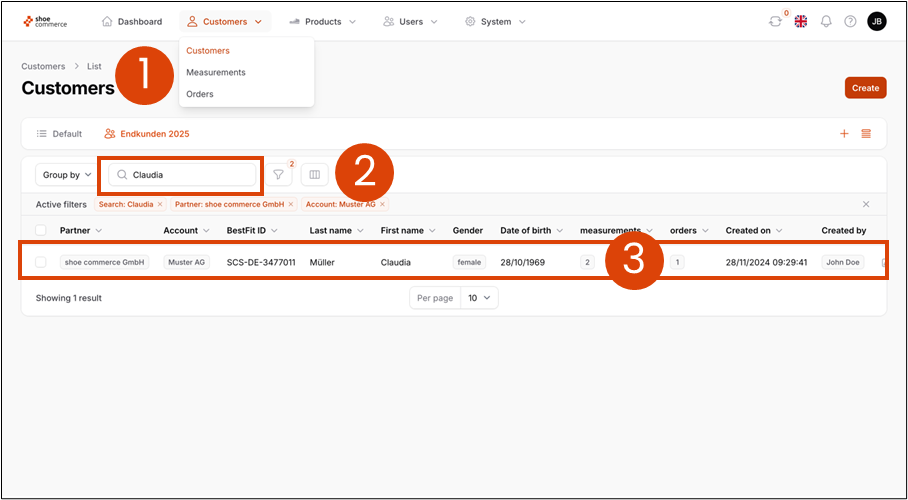
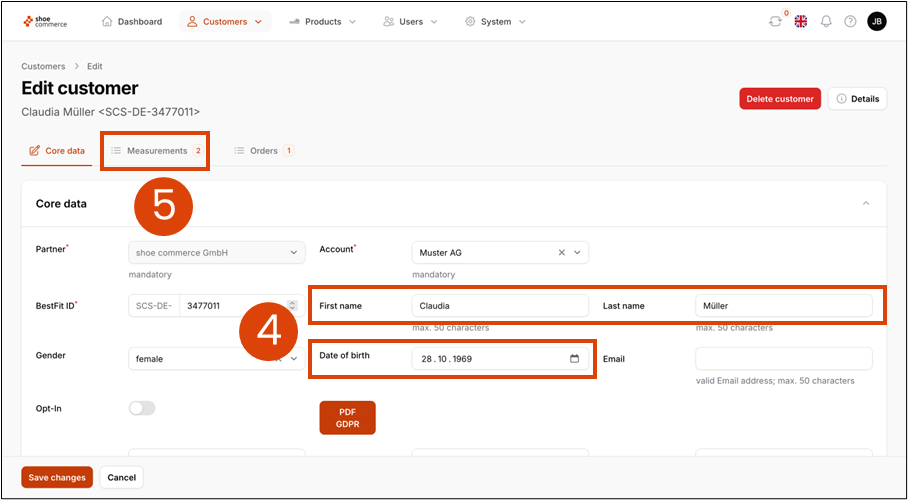
- Read the first and last name as well as the date of birth (here: Claudia Müller, October 28, 1969)
- Open the "Measurements" table
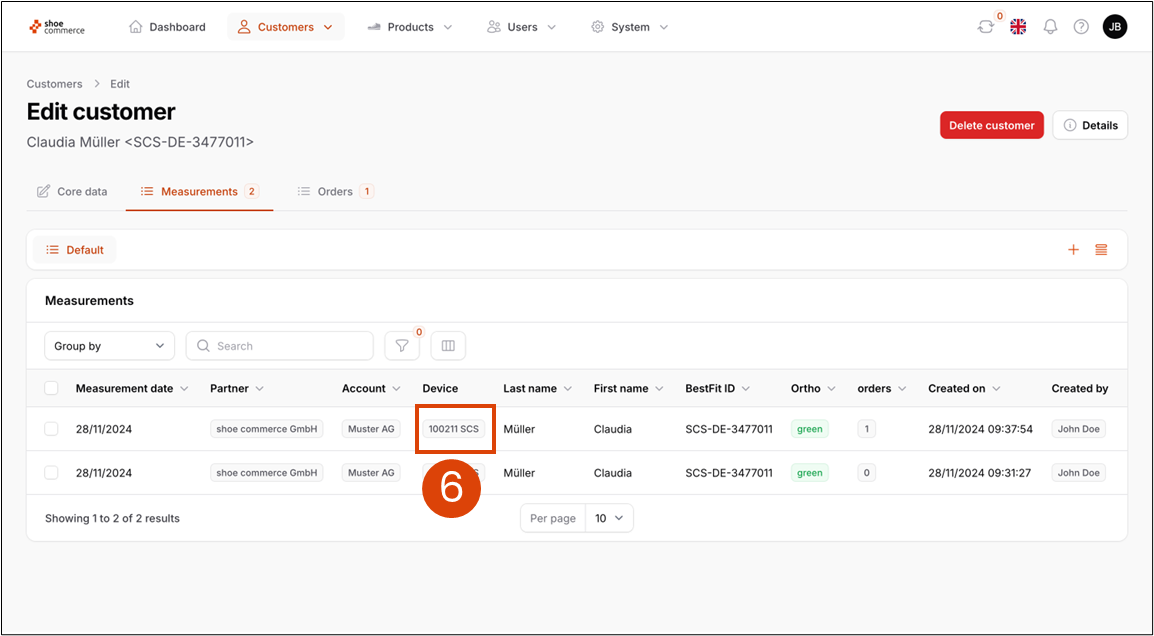
- Reading the 6-digit serial number of the scanner of the most recent measurement (here: 100211)
The next steps are carried out in the MyPSA frontend, as described here.